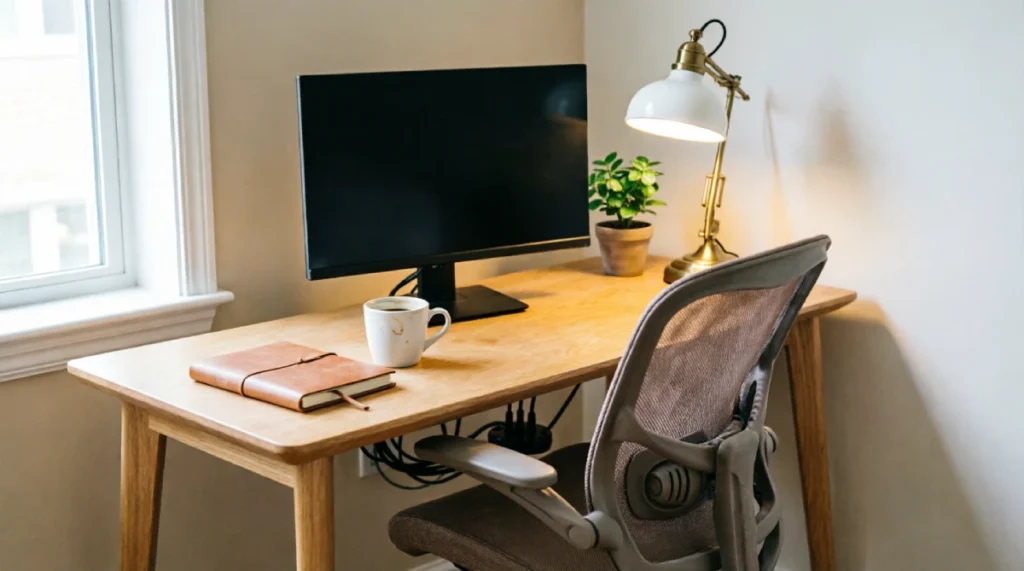
It’s 3 in the afternoon, your coffee has gone cold, your desk is covered with chargers and notebooks, and your neck hurts from hunching over the laptop at the kitchen table. If the corner you use as your office is one that you have to apologies for during video calls, then you’re not the only one. People usually arrange their desks at once and then never reconsider it even though their working habits change.
The right home office desk setup hacks can improve focus and comfort without making your space look like a Pinterest post. Whether you are upgrading work, from home desk setup or building a productive workspace small change can make a big difference.
Let us look at the desk upgrades that are actually worth trying.
The Importance of Your Home Office Desk Setup
The design of your workspace may affect not only your emotions but also your efficiency and productivity levels. Visual clutter can fight for your attention while an uncomfortable workstation can cause strain that grows over the day.
In one study of 773 computer workers 58% reported pain including neck and shoulder discomfort. A poor ergonomic home office setup can also cause fatigue when you keep awkward or positions for long time.
Before you try the hacks, focus on these basics:
- Reduce clutter to limit distractions.
- Adjust your workstation to a neutral posture.
- Change positions regularly of sitting rigidly for hours.
11 Home Office Desk Setup Hacks for a More Productive Workspace
1. Locate Your Desk Closer to Natural Light
While natural light may make your home office more inviting, it will also promote better alertness and well-being during your workday. For example, in a study of office workers, those who had optimized daylight and views managed to sleep 37 minutes more and score 42% higher on cognitive tests.
However, excessive sunlight may cause screen glare and eye strain, so location plays an important role here.
As for the practical tips on the correct positioning of your desk in relation to daylight, place your desk so that the monitor faces perpendicularly to the window, and not towards the window. By doing this, you will let in natural light without causing any glare from the sun. Use blinds and curtains when sunlight gets too strong.
2. Elevate Your Monitor to Eye Level Position
A monitor that is placed too low may require hours of tilting your head downwards in order to read what’s on the screen. The improper posture will lead to a sore neck and shoulder overtime.
It is advised by OSHA to adjust your monitor in such a way that its top edge will be at or just below eye level and the center of the screen should face you.
The proper monitor positioning doesn’t necessarily require money:
- Put a couple of books under your monitor.
- Buy a cheap monitor riser.
- If you use a laptop, get a laptop stand along with the external keyboard and mouse.
This will help you create a more ergonomic office setup.
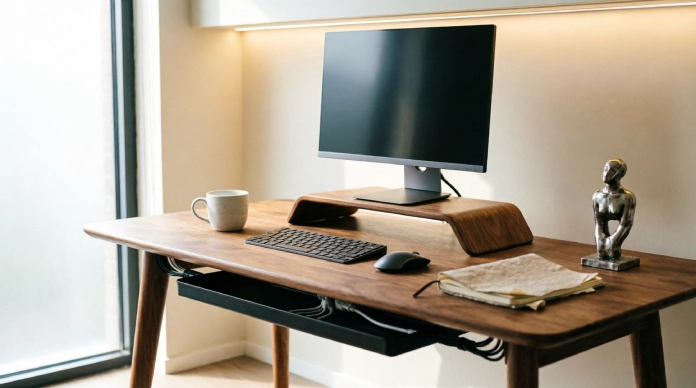
3. Get Your Cables Under Control
Something about the area beneath your desk turns those few harmless cables into a full cable nest. All of a sudden, your chargers, monitor cords, and power strips get entangled and ruin the otherwise nice-looking desktop. With basic cable management for desks, you will be able to solve most of these issues easily enough.
Here are three cheap devices to start with:
- Cable clips: They help direct each cable along the underside or behind your desk.
- Under-desk tray: This helps organize all your power strips, adapters, and cable length.
- Velcro ties: These are great for bundling similar cables without ruining their accessibility.
All you need is to unplug and categorize all your cables and make sure they go along one path only.
4. Keep Only the Things You Touch Every Day
The desktop does not have to be a place where everything that is likely to be used one day will reside. Here comes the simple way of doing things, known as 80/20 rule: keep only those few things you use daily right next to you, and move everything else elsewhere.
Leave it on your desktop:
- Monitor, keyboard, and mouse
- Daily notebook or planner
- One pen or accessory that is used often
- Water bottle or coffee mug
Put in a drawer or a cupboard:
- Extra office supplies
- Extra chargers and wires
- Old receipts
- Rarely used devices
That’s how it’s done.
5. Purchase a Chair That Actually Fits
A dining chair could be suitable for sending a quick email, but eight hours in front of the computer is something else. The lack of proper support could lead you to find yourself leaning forward, continuously moving around, and losing lower back support.
OSHA suggests using an office chair that has enough lumbar support and adjustable seat height, with the feet being placed either on the floor or on a footrest.
When setting up a good desk chair configuration, consider the following:
- Lumbar support: It must fit the curvature of your lower back.
- Adjustable seat height: Your feet must be placed comfortably on the floor and still keep the right height of your workstation.
- Adjustable backrest: This feature allows changing the posture during work and makes work sessions more comfortable.
It doesn’t have to be the most expensive chair. It just needs to match your body and fit your workstation.
6. A Work zone, Not Just a Desk
If your “office” is a single corner of the room, it is possible to create a barrier between work and anything else. Home-based work research shows the need to create barriers between the process of working from home and personal activities.
Here are some workspace ideas for your home office desk setup:
- Use a small rug: It will help visually separate your desk from the other parts of the room.
- Install a special light: You can turn it on as a sign that you’ve started to work.
- Use room dividers or curtains: This option can be used when your desk is located near the bedroom or the living room.
- Store all your things in one place: Do not spread notebooks, chargers, and other equipment around the room.
If your desk is in a bedroom, these bedroom office combo ideas can help you create a clear separation between work and rest. Such ideas are very helpful when it comes to small office desk setup at home.
7. One Plant Only, Leave the Others Alone
A bit of green can help make a desk seem calm without making your work desk look like a greenhouse. Scientific research has found that having plants in an office may have positive effects on attentiveness and overall wellness.
So for your minimalist desk, one plant might be enough to give it some colour without creating unnecessary distractions.
Consider some easy-to-grow varieties like:
- Pothos: They are easy to take care of, and their foliage will look great hanging off a shelf.
- Snake plant: It is able to survive even in low light and doesn’t require much watering.
- Mini ZZ plant: This compact variety does not demand much attention at all.
Select one plant that will fit your desk space and find a place for it forever.
8. Use Drawers and Trays for Sorting Items, not Just for Storage
Concealing items in drawers does not automatically mean that the workplace is organized. Proper organization implies that every item that is often used has its exact spot, which allows you to locate it in no time and return it to the right place equally easily. There are many useful ways to organize the home office space while leaving your desk clean.
Think about organizing based on purpose:
- Desk tray: Collect pens, notes, and other small items that you use daily.
- Drawer: Put cables, adapters, and all unnecessary accessories in the drawer.
- Shelf: Put reference books, notebooks, and other books nearby.
- Small organizer: Divide clips, USB drives, and other small items.
These simple tips will help you organize your desk easily.
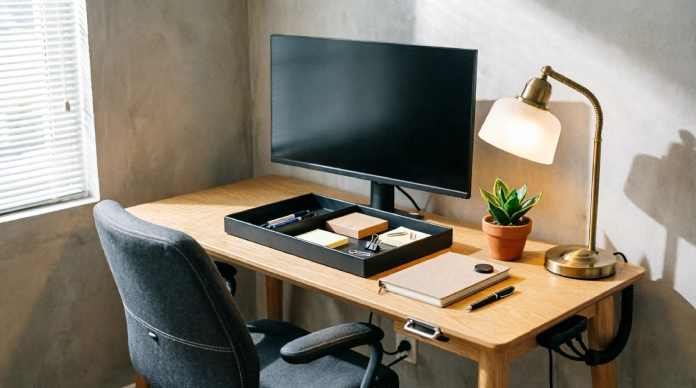
9. Get the Appropriate Lighting at Nighttime
When night falls, your desk mustn’t transform into a brightly illuminated screen amidst darkness. Ambient lighting is overall lighting, and task lighting directs light towards the area that needs it, such as the computer keyboard, notebook, or work area. Utilizing both forms of lighting makes the workspace comfortable.
In order to have a useful form of desk lighting, put a soft light desk lamp next to the computer screen and not right behind it.
Dimmer lighting will minimize the sharp contrast between the bright screen and darkness around. Pick a light that will allow you to dim the brightness as nighttime advances.
A basic form of lighting arrangement can make nighttime desk work more comfortable.
10. Choose Tools to Lower Micro-Decisions
Small decisions throughout the day might drain your brain’s energy unknowingly. Looking for a charger, remembering where your notebook was kept, and arranging things before working is a form of added burden. The solution is to keep all the necessities within reach without wasting much effort.
Below are some basic productivity tools that should be considered for a home office arrangement:
- Fixed charger station: Make sure that the charging cables you use on a regular basis are fixed in one place.
- Wireless charger: Fix a wireless charger at one point so that your phone charges without another wire.
- Single notebook strategy: Instead of keeping multiple notepads for different purposes, use a single notebook.
- Office desk accessories: Buy those that actually serve their purpose well instead of filling up your workspace.
The trick is to make it easier to take the right step.
11. Review and Redo Your Setup Every Few Months
The best setup changes with time. What may have made perfect sense six months ago may not suit you now, especially after some new gear or even an alteration in how you work. Rather than setting up and sticking with one setup forever, give yourself a quick review every couple of months.
Take 10 minutes every three months to consider the following questions:
- What do I use every day?
- What no longer serves me?
- Does anything interfere with my comfort or concentration?
- Can anything I use all the time be easier to reach?
- Have my current items stopped serving me?
Take the case of a person working remotely and discovering that, after six months, it takes her about 15 minutes every morning to find the chargers, move the notes and adjust her monitor.
Ten minutes spent rearranging and creating storage space would help her save up to 50 minutes per week of productive time.
This is how you can be able to implement those changes that are useful since they ensure that your productivity desk arrangement meets your requirements.
FAQs
1. What is the most useful hack for setting up my home office desk?
Your first step should be ergonomics place your computer monitor at eye level, set up your chair, and keep your keyboard and mouse close to hand.
2. How do I make my home office desk more effective?
Clean up all unneeded objects, organize the wires, add extra lighting, and keep necessary tools close by. A clean desk is always easier to concentrate on.
3. What is the optimal position of my desk relative to the window?
Arrange your desk in a perpendicular position to the window. This way, you will get the natural lighting, and it will also help you avoid reflection from the screen.
4. What should I keep on my desk?
Have on your desk only things that you need every day your computer monitor, keyboard, mouse, notebook, and maybe 1-2 accessories.
5. How often should I rearrange my home office desk?
Having a quick 10-minute reset once in a few months is a great idea. Get rid of unneeded objects and change your desk setting.
Conclusion
That corner you once apologized for during video calls can become a workspace you love. You do not need a large room or expensive furniture. These Home Office Desk Setup Hacks, from raising your monitor to managing cords and improving lighting, can make your desk more comfortable and productive.
Start with two or three hacks this week. Small changes can quickly create a more organized, focused workspace.
