Table of Contents
It’s 2 PM. Your coffee has kicked in, but your eyes are burning, your head is pounding, and your focus is fading. The problem may not be the workload. It could be the harsh lighting above your desk.
Poor lighting can cause glare, shadows, and eye discomfort, making it harder to concentrate. The good news? You don’t need expensive fixtures or an electrician. These simple Home Office Lighting Hacks can help create a brighter, more comfortable, and productive workspace.
For more inspiration, explore these home office ideas for creating a stylish and functional workspace.
1. Master These Home Office Lighting Hacks With the 3-Layer Lighting Rule
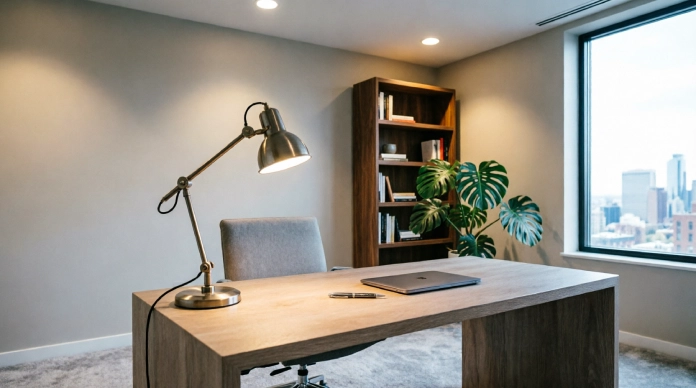
Unless you’re creating an avant-garde art installation, it’s best to avoid single-bulb overhead lighting in your home office. Not only does it cast harsh shadows, but it also creates eyesores in the shape of extreme contrasts.
Ambient light tends to fatigue the human eye, especially when we have to constantly adjust our focus between light and dark areas.
The solution lies in strategic layering which is recommended by most interior designers to create dimension in a space without overpowering it. Here are the three basic types of lighting you need to consider:
- Ambient: General or overall lighting in the room created by floor lamps or other large 5.light sources
- Task: Usually, the brightest type of lighting which requires more focused attention
- Accent: The background illumination needed to highlight specific areas or objects in the room
The rule of thumb is to always go lower in brightness for ambient compared to task lighting. This way you’ll create a desirable contrast which will guide your focus towards the work area instead of having it wander all over the room.
2. Place Your Desk at a Perpendicular Angle to Natural Light Windows
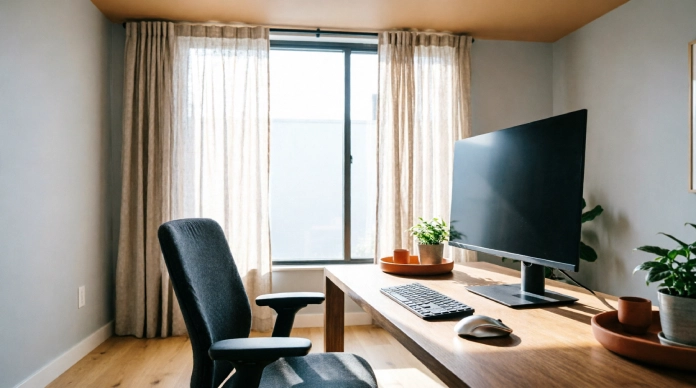
While natural light is a huge mood booster, it’s also important to avoid glaring on your monitor (trust me). That means avoiding facing your desk directly toward a window (the sun will blind you) or with your back to a window (reflective glare, nobody can see your screen).
The fix? Place your desk so that it’s at a right angle to any nearby windows.
If you can’t do this, consider using sheer linen curtains or blinds that will allow ambient background lighting to shine through rather than concentrated beams of light that cause glare on monitors.
This can be especially useful when setting up a workspace in a bedroom. See these bedroom office combo ideas for more ways to make the setup work.
3. Match Your Bulbs Colour Temperature To Your Work Schedule (Kelvin Guide)
Light colour temperature can affect the way our body produces hormones and, by extension, our level of alertness. Cold light makes the body produce cortisol and as a result, we feel well-rested and energetic.
Warm light produces melatonin so we can unwind and prepare our bodies for sleep. Using the wrong light at the wrong time suppresses our body’s ability to do what it does best, regulate itself.
The fix: Invest in changing your LED’s colour temperature across the day.
- Cool white light (4000K – 5000K): Perfect for the morning until late afternoon to help you get the most out of your day
- Warm white light (2700K – 3000K): Great for the evenings to support your body’s natural circadian rhythm
Make sure that you avoid using overly cool (blue-like) lights at night, unless you want restless nights or poor quality sleep.
4. Add an Ultrawide Light Bar for More Clear Desk Space
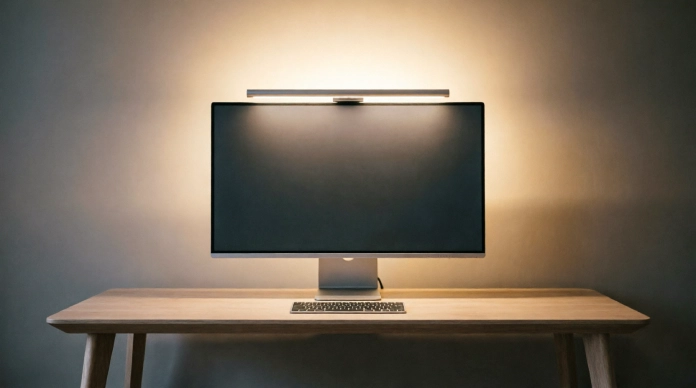
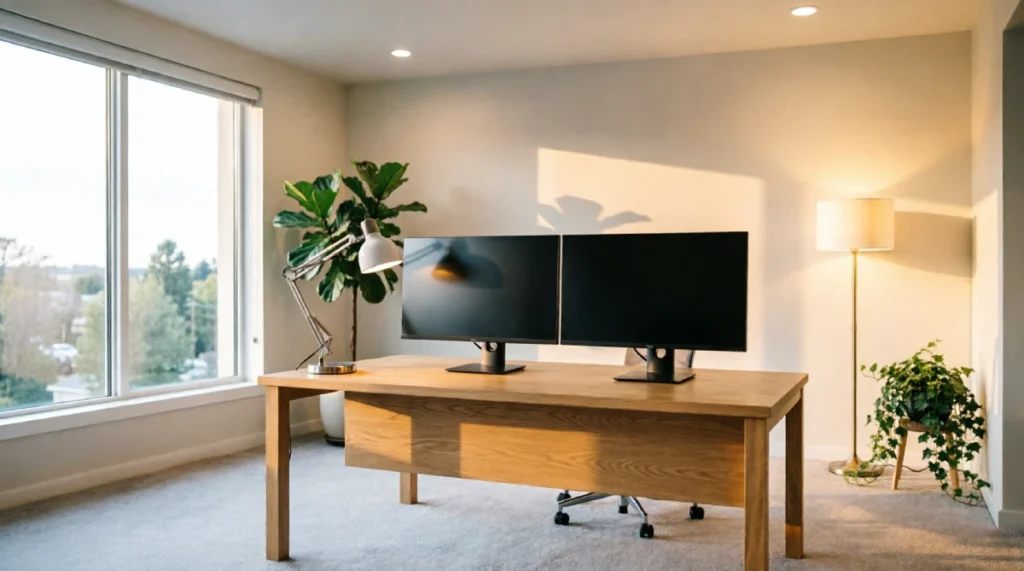
Standard desk lamps take up precious surface space on your desk, and with two monitors, they tend to light up just one side of your desk while the other remains in shadow and uneven lighting.
A minor annoyance that nonetheless takes its toll over the course of the day.
The fix: Mount a monitor light bar on the very top of your monitor. With one that has an asymmetrical optical design, it will illuminate your desk without wasting any space on your desk surface, as it shines straight down onto the desk.
No light bouncing off the desk back into your screen either. Pairing smart lighting with good home office organization ideas can also help keep your workspace clear and functional.
5. Place Bias Lighting Behind Your Monitor to Eliminate Eye Strain
Working in a room with a bright screen sounds harmless but it forces your pupils to constantly expand and contract. Your eyes shift between the glowing display and the dark wall behind it. That repeated adjustment is a often overlooked source of eye fatigue.
The hack: Stick a LED light strip along the back of your monitor casing. This creates a glow against the wall behind it. This bias light bridges the contrast gap between your screen and its surroundings, so your eyes stop overworking with every glance.
Actionable tip: Match the back-glow brightness to your rooms light level. This pairing offers the visual comfort, especially during evening work sessions. You can also explore these home office desk setup hacks for a more productive workspace.
6. Diffusion Magic: Soften Pointed Bulbs with Fabric or Frosted Glass
An exposed bulb no matter how bright creates spots and sharp high‑contrast shadows that pull your eye away from the work you really want to do. Instead of a gentle glow you receive harsh pockets of light and dark that fight for your focus.
The trick: Replace bulbs with lampshades made of fabric, paper or frosted glass. These materials scatter raw light rays spreading them evenly across the workspace of concentrating them in one glaring spot.
Tip: If you are in a hurry angle an adjustable desk lamp toward a white wall or a light‑coloUred curtain. The bounced, reflected light creates a natural glow, without any extra equipment.
7. Balance Monitor Brightness with Surrounding Room Illumination
A screen that’s brighter than the room lights feels like a headlamp making the eyes adjust all the time. A screen that is dimmer than the room lights makes you squint and strain to read words. In either case mismatched brightness hurts you quietly.
The hack: Match the screen brightness to the light level in the room instead of using the default setting.
Tip: Hold a plain white sheet next to the monitor. Lower the screen brightness until the white on the display looks similar to the white paper in your hand.
8. Eliminate Screen Glare Using Smart Fixture Angles
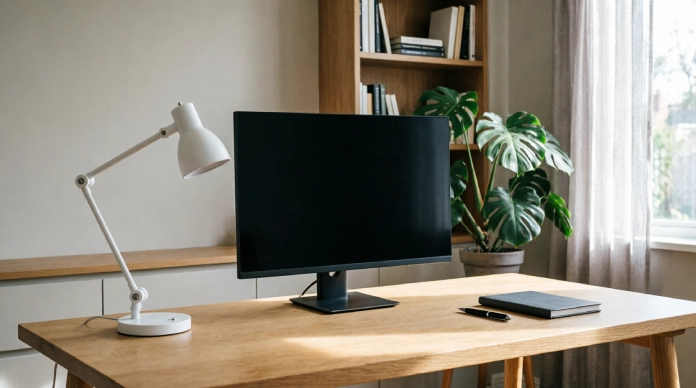
Glare does not always show itself. Light that bounces off the screen makes the eyes feel strain slowly and focus drops over hours even if the reflection is not obvious.
The hack: Test the room by turning the screen off. On a reflective surface every glare source shows up right away.
Actionable tip: Tilt desk lamps a little down of straight ahead and move overhead lights to the side or, behind the eyes. Keep lights out of the screen reflection path and that will cut glare for good. The American Optometric Association’s guidance on digital eye strain also recommends controlling screen glare and positioning your computer to reduce reflections.
9. Harness High-CRI LEDs to Reduce Subtle Fatigue
Not every LED bulb is the same. Cheap LED bulbs often miss colors in the light spectrum, which makes the room look a little dull or washed out. The brain works harder to read detail and contrast. You may not notice the strain at first. After six hours you will feel it.
The hack: Choose LED bulbs with a Colour Rendering Index (CRI) rating of ninety or higher.
A practical tip is that CRI bulbs mimic natural sunlight very well keeping room colors true and bright. When you work for hours this reduces hidden eye fatigue.
10. Install Dimmers for Total Control Throughout the Day
Outside light changes all the time cool at midday gentle and warm at sunset. Fixed non-adjustable bulbs cannot follow this change. The room light does not match the body’s natural rhythm for long periods.
The trick: Replace switches, with dimmers or to use smart LED fixtures that you can control with an app and change as needed.
A practical tip is to create a daily routine that lets the room light slowly dim as the workday ends. This gentle change tells the mind that it is time to move out of work mode long before the computer is turned off.
11. Case Study: How Strategic Desk Lighting Boosted Daily Output
The Setup: A remote graphic designer was dealing with afternoon headaches, sluggish focus by mid day and constant screen glare. All of these issues were traced back to one thing. An overhead ceiling light that served as her only light source.
The Adjustments Made:
- Rotated her desk 90 degrees to sit perpendicular to the window of facing it directly.
- Added a monitor light bar for targeted glare- task illumination.
- Applied warm LED bias lighting behind her main screen to ease contrast with the wall behind it.
The Results:
- A 90% reduction in reported eye strain and afternoon headaches within one week.
- 45+ Minutes of sustained daily focus added back into her late afternoon work block.
- Noticeably better energy retention into the evening thanks to colour temperatures that stayed aligned with her natural circadian rhythm.
The takeaway is simple: none of these changes required a renovation or a big budget. Just a smarter intentional approach, to light placement and timing.
FAQs
1. What is the best lighting for a home office?
The best home office lighting mixes light with task lighting and ambient lighting. A desk lamp that sits near a window and soft overhead light that’s indirect can make the room bright and cozy. I have seen that this mix keeps eyes from tiring.
2. Is cool light better for a home office?
Cool daylight‑style light works well when I focus on tasks during the day. Warm light creates an atmosphere for breaks. A bulb that can dim or adjust gives freedom to choose the right tone.
3. How can I reduce glare on my computer screen?
Place the desk so that windows and lamps do not shine onto the screen. Using light from the ceiling blinds that can be opened and setting the monitor a few inches away from direct light helps keep glare low. I found that a small shade over the lamp also helps.
4. Where should a desk lamp be placed in a home office?
Put the lamp on the side opposite the writing hand to avoid shadows on the page. For computer work put the lamp so it lights the desk but does not glare into the eyes or glare, on the monitor. This keeps the light steady and easy on the eyes.
5. How can I improve lighting in a home office?
Use light sources instead of a single overhead fixture. Combine a desk lamp, an ambient light and floor or wall lights that are positioned carefully. This layering makes the room feel brighter and more comfortable.
Conclusion
These Home Office Lighting Hacks can make your workspace brighter, more comfortable, and productive. Start with two simple changes today: position your desk perpendicular to a window and reduce monitor glare. Small adjustments can make a noticeable difference.